
Where is it located?
You can find it inside the Back Office under the Bookings and BI sections.
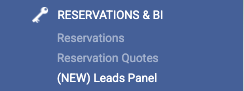
On the other hand, in Call Seeker, you'll see it in the main menu along with the other features.

*To activate it, inform your Account Manager which users should have this new feature so they can be granted the necessary permissions.
What it is and how it works?
The Leads Panel is a new tool for registering all interactions from a logged-in user during the booking process. Once you have a club user's data, and with their prior consent, you can contact them proactively in two ways:
-
Automatically: Our system sends the user an email reminding them that the booking was not finalized.
-
Manually: Through mailing or phone campaigns, your booking agents can contact these leads to finalize the sale.
Searches are registered on the panel with the client's contact information, based on their registration in various loyalty programs. Pre-bookings are created with a duration linked to the manager's search session. The amount of data available about the client's search depends on the step in the booking process where they abandoned the purchase. Additionally, the panel also shows all bookings with a payment error on the bank's gateway associated with your booking engine.
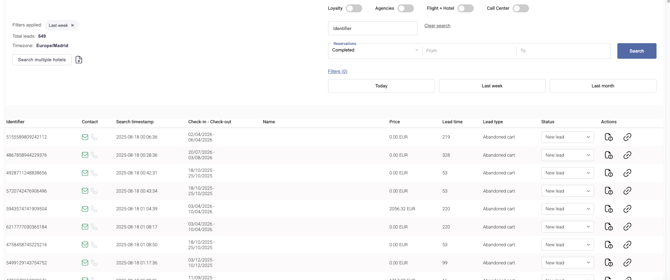
The "Contact" section refers to the data you possess:
-
We have Email and Phone

- We have Only Email

Different Types of Leads
-
Abandoned Cart: Leads associated with users who were lost during the booking process.
-
Payment Error: Leads generated because the user reached the payment gateway, but their transaction resulted in an error from the bank, so the booking was not generated.
-
Quotation: Leads created based on quotations sent by a call center agent.
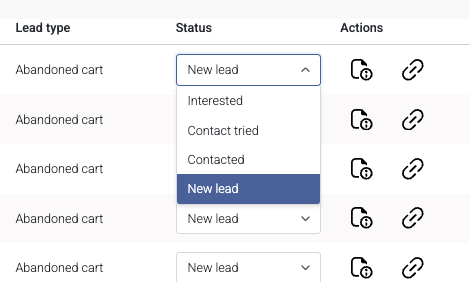
From the panel, you can manually assign a "status" to a lead to reflect its current state, for example, whether they have been contacted or are interested.
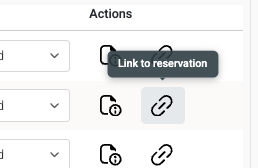
As for the actions you can take, on one hand, you can view the reservation details, which will show all the data we've been able to gather about the user based on where they abandoned the booking process, allowing you to contact the client.
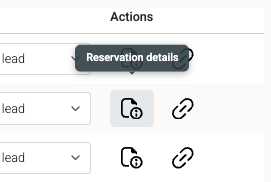
And on the other hand, there's a link to reservation to access the process and finalize it once you've contacted the client and they have formalized their reservation.
Are you interested in this new feature? Contact your Account Manager to activate it for your users.